The Real Cost of Running Kubernetes on AWS (2025 Edition)
EKS control plane costs are just the tip of the iceberg. A deep dive into hidden costs: cross-AZ traffic, NAT gateways, and unoptimized detailed technical breakdown.
Running Kubernetes on AWS is often described as "expensive but worth it." That statement is half true. Kubernetes is expensive on AWS—but only if you don’t understand where the money actually goes.
This article breaks down the real cost of EKS in 2025, what most teams miss, and how we regularly reduce customer bills by 20–60% without sacrificing reliability.
1. The EKS Cost Illusion
EKS advertises a simple control-plane price: $0.10 per hour (approx. $73/month). This suggests that EKS is cheap. That is a dangerous illusion.
The control plane is usually <5% of your total bill. The rest is architectural debt disguised as infrastructure costs.
The Real Bill Structure
We analyzed 50+ EKS clusters in production. Here is the typical cost distribution:
| Component | % of Total Bill | The Hidden Cost Factor |
|---|---|---|
| Compute (EC2) | 60-70% | Over-provisioned nodes, idle "buffer" capacity, wrong instance families. |
| Networking | 15-20% | Cross-AZ data transfer, NAT Gateways ($0.045/GB), Service mesh overhead. |
| Observability | 10-15% | CloudWatch Logs ingestion, Prometheus storage, high-cardinality metrics. |
| Storage (EBS) | 5-10% | Orphaned PVs, GP2 vs GP3 inefficiency, over-provisioned IOPS. |
| Control Plane | <1% | Negligible. |
2. Worker Nodes: The Silent Budget Killer
Most clusters are sized for peak traffic that never happens. We call this "Just-in-Case" scaling.
The Bin-Packing Problem
Kubernetes schedulers are smart, but they can't defeat bad math. If you request 2 vCPU for a pod that uses 0.1 vCPU, K8s reserves 2 vCPU. Multiply this by 100 pods, and you are paying for 190 vCPUs of air.
The Fix: Aggressive Requests & Limits
- Use Goldilocks or VPA (Vertical Pod Autoscaler) in "off" mode to recommend requests based on actual usage.
- Set requests close to typical usage, not peak. Let HPA (Horizontal Pod Autoscaler) handle the peaks.
Switch to Karpenter
The default Cluster Autoscaler is slow and tied to Auto Scaling Groups (ASGs). It scales by adding nodes of the same type. Karpenter is the game changer. It provisions the exact right instance type for the pending pods.
# Example Karpenter Provisioner optimized for cost
apiVersion: karpenter.sh/v1beta1
kind: Provisioner
metadata:
  name: spot-optimized
spec:
  requirements:
    - key: karpenter.k8s.aws/instance-category
      operator: In
      values: ["c", "m", "r"]
    - key: karpenter.sh/capacity-type
      operator: In
      values: ["spot"] # <--- The money saver
  limits:
    resources:
      cpu: 1000
Moving to Karpenter typically reduces compute costs by 20-30% instantly by eliminating "fragmentation waste".
3. Spot Instances Without Fear
Many teams fear Spot Instances because "they might disappear." In 2025, this fear is outdated.
The Truth about Spot:
- Reclaims are rare: If you use diverse instance families, terminations happen less than you think.
- 2-minute warning: AWS gives you a notification. K8s can cordon and drain the node automatically.
Our "Bulletproof" Spot Strategy:
- Diversify: Don't just ask for
m5.large. Ask form5.large,m5a.large,m5d.large,m4.large. - Graceful Shutdown: Ensure your apps handle
SIGTERMcorrectly. - Topology Spread Constraints: Force K8s to spread pods across AZs so a single Spot reclamation doesn't kill your app.
topologySpreadConstraints:
  - maxSkew: 1
    topologyKey: topology.kubernetes.io/zone
    whenUnsatisfiable: DoNotSchedule
4. The Silent Assassin: Data Transfer
Did you know that talking between availability zones (AZs) costs $0.01/GB each way?
If Service A (AZ-1) calls Service B (AZ-2) 1,000 times a second, you are burning money.
Optimization Checklist:
- Topology Aware Routing: Enable this in K8s to prefer keeping traffic within the same AZ.
- Limit NAT Gateway Usage: Don't route internal traffic through public IPs. Use VPC Endpoints (PrivateLink) for S3, DynamoDB, and ECR.
- Node-Local DNS: Use
NodeLocal DNSCacheto stop paying for DNS lookup traffic.
5. Storage: GP2 is Dead
If you are still using gp2 EBS volumes, stop.
gp3 is 20% cheaper and provides baseline 3,000 IOPS regardless of volume size.
Migration Script: You can modify existing PVCs or using a script to modify the underlying EBS volume type in AWS (it's non-disruptive).
# Check for legacy gp2 volumes
aws ec2 describe-volumes --filters Name=volume-type,Values=gp2 --query "Volumes[*].{ID:VolumeId,Size:Size}"
6. Conclusion: Ownership is Key
AWS bills don't climb because the cloud is expensive; they climb because nobody owns the optimization metric.
Our Rule of Thumb:
- Cost/Pod should be a metric in Grafana.
- If you can't explain a line item, delete it (safely).
- If your development integration environment runs 24/7 on weekends, you're donating money to Jeff Bezos.
Need a specialized audit? We automate this analysis. Book a review.
Tagged with
Need help with your infrastructure?
Book a free architecture review and get expert recommendations.
Book Architecture ReviewCloud Infrastructure & DevOps
Read Next
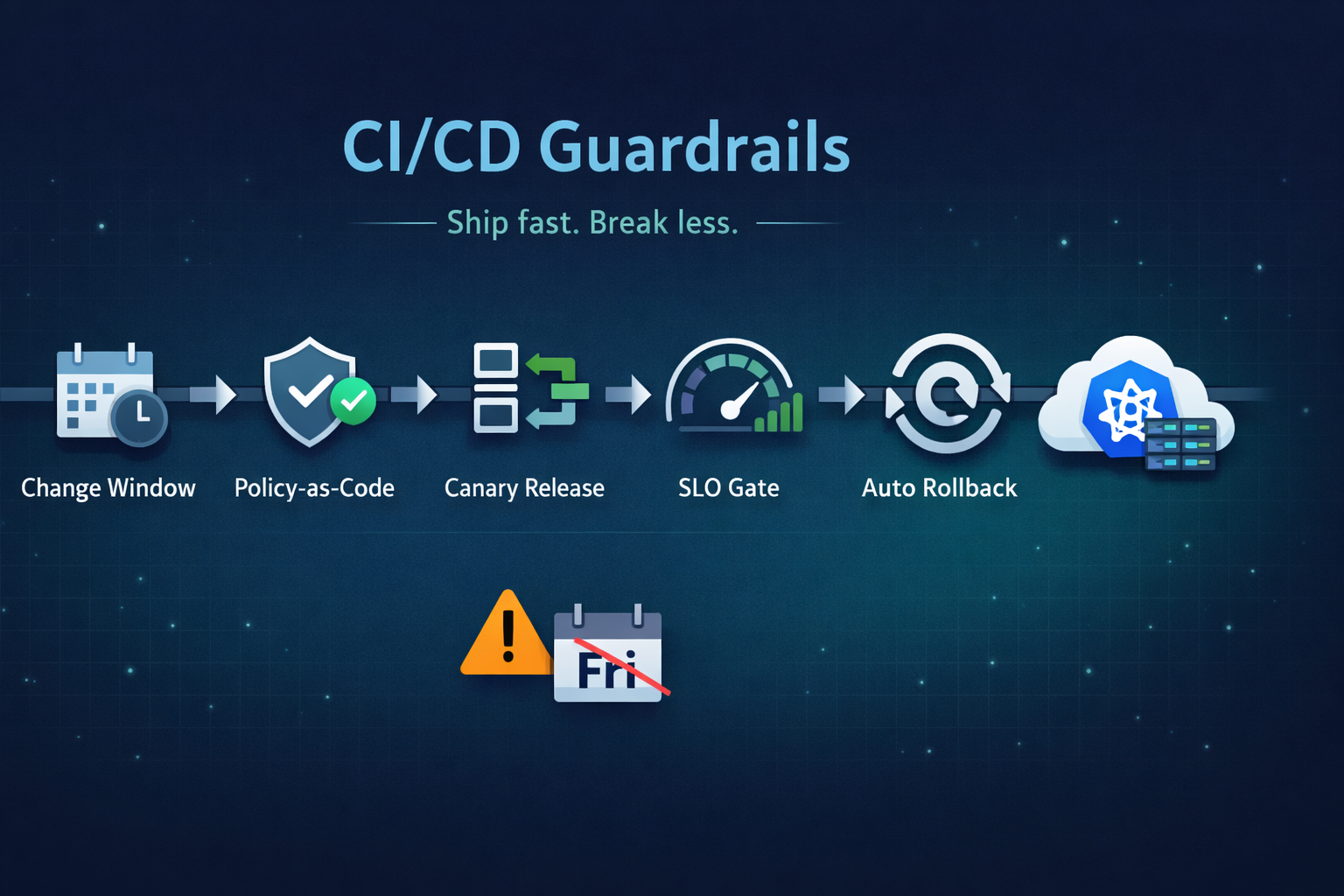
Ship fast without breaking prod. Our 5 guardrails: change windows, policy-as-code, canary releases, SLO-based gating, and automated rollback.
From the three-repository pattern to progressive delivery with Argo Rollouts. Real-world GitOps architecture that eliminates drift and provides audit trails.
Migrations don't fail because of K8s; they fail because of assumptions. From OOMKills to 'flat network' traps, here are the technical reasons migrations blow up.